7 Ways to Increase Your Pocono Airbnb Occupancy
Occupancy is a conversion problem
Most underbooked Pocono listings aren't priced wrong — they're presented wrong. Here are the seven levers that move occupancy the most.
1. Fix your first five photos
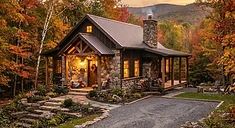
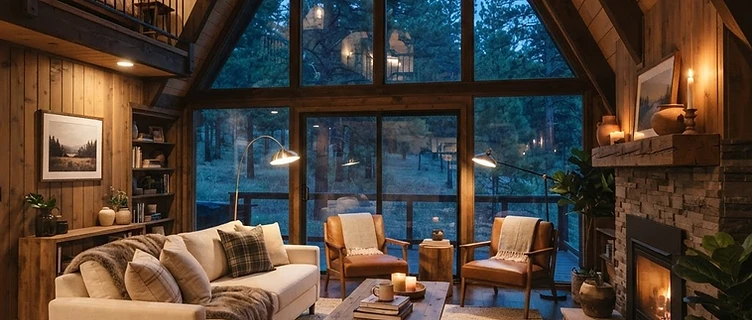
The cover photo decides whether a guest even opens your listing. Shoot in daylight, stage the main living space, and lead with your best amenity (a lake view, a hot tub, a gameroom).
2. Tighten your calendar minimums
Two-night minimums kill midweek bookings in the Poconos. Try a 2-night weekend / 3-night midweek structure, or open 1-night midweek stays in slower seasons to capture last-minute demand.
3. Price dynamically
Static pricing leaves money on the table in both directions. Adjust for local events (Pocono Raceway, ski openings, fall foliage) and drop floor prices on aging inventory 14 days out.
4. Respond in under an hour
Airbnb rewards fast response times with search placement. Auto-messages handle arrivals; humans handle questions. Both matter.
5. Add one standout amenity
A hot tub or a firepit typically raises both occupancy and nightly rate in the Poconos. Gamerooms move the needle for family groups.
6. Refresh your listing copy quarterly
Algorithm weight favors updated listings. Swap a photo, tweak a description, adjust amenities — small refreshes signal an active host.
7. Capture repeat guests off-platform
Your best next booking is your last happy guest. Offer a 5% direct-booking discount and keep their email.
What not to do
Don't slash rates to chase occupancy — you'll train guests to wait for discounts and attract the most demanding renters. Protect your average daily rate first.
Want us to look at your calendar and pricing? Request a free evaluation.
Want this applied to your property?
Get a practical $99 evaluation of your Pocono short-term rental, with a written report of observations and recommended priorities.